

Enterprise Suite · Engineered for Industry 4.0
Know what your line produced this shift, not tomorrow.
OpexMES is a practical MES for small and mid-sized manufacturers. Operators report output, stops and scrap on a tablet. Machines send counts automatically. You see live OEE and your real losses, without paper or Excel.
- Built for
- Plants with 20 to 500 people
- Best fit
- Molding, stamping, assembly
- Connects to
- Machines (read-only), OpexMX, ERP (coming soon)
- Deployment
- Cloud, on-premise on request
- Follows
- ISA-95, ISO 22400
Sound familiar?
Most plants still run on paper and yesterday's numbers
Output is known a day late
Production is written on paper and typed into Excel the next morning. By then, the shift is over and the problem is old.
Losses are invisible
Machines stop, but nobody records why. You know capacity is missing, but not where it went.
Tracing a complaint takes days
When a customer complains, someone has to dig through paper records to find the lot, the machine and the shift.
Production and maintenance argue
Production says the machine was down for two hours. Maintenance says thirty minutes. There is no shared record to settle it.
Full-scale MES solves this, but it is built for plants ten times your size. OpexMES is built for yours.
See OpexMES in action
The live line board, shift tallies and OEE analytics, in twelve seconds.
What you get
From the shop floor to the management meeting, one set of numbers
Live line board
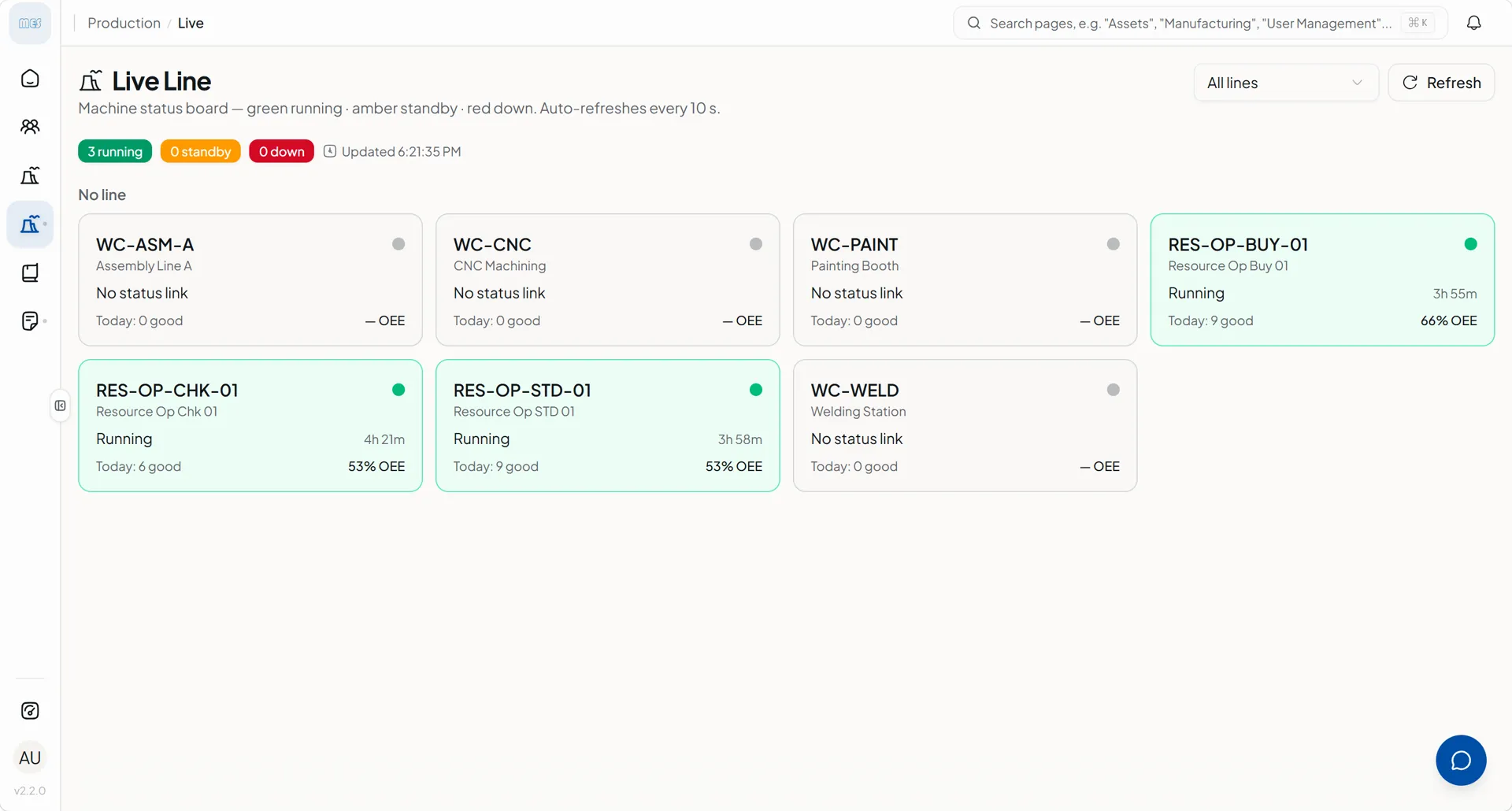
See every machine as running, standby or down, right now, with today's good count and OEE. Supervisors react in minutes, not at the end of the shift.
OEE and downtime you can compare
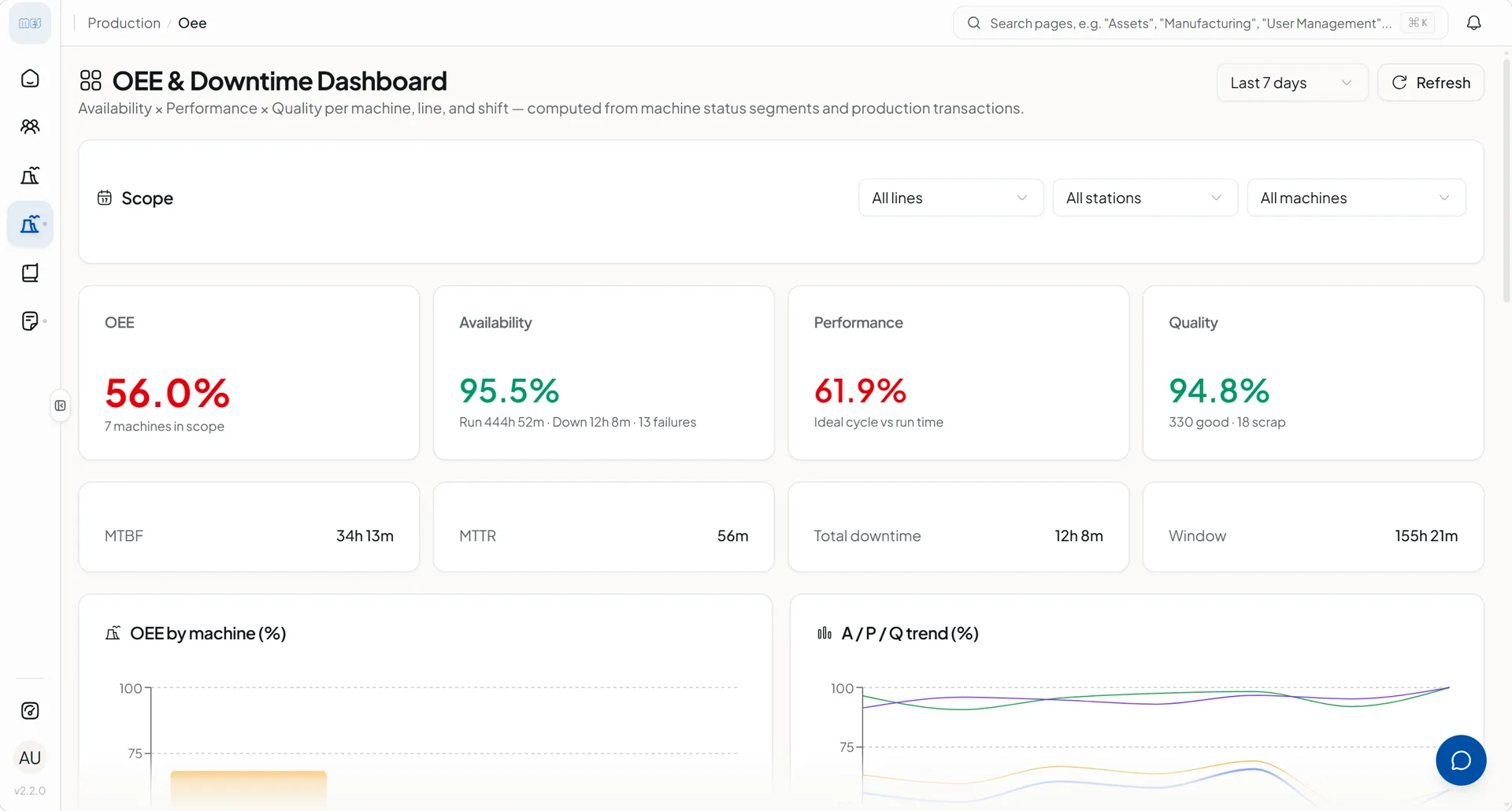
Availability × Performance × Quality, calculated with the ISO 22400 formula, plus MTBF, MTTR and total downtime. Every line and every plant is measured the same way.
Downtime with reasons
Every stop gets a duration and a reason, picked by the operator in two taps.
Production reporting
Good and scrap counts by order and shift, from a tablet or straight from the machine.
Work orders to the line
Orders reach the right machine on a tablet, not on paper.
Quality and traceability
Coming soonFirst-piece checks, hold and release, and tracing any lot back to its materials, machine and shift.
How it works
We read your machines. We never control them.
OpexMES sits between your ERP and your shop floor. It takes orders, collects what actually happens on the line, and sends confirmed output back. It only reads machine signals. It never sends commands to a PLC, so your process stays exactly as it is.
With or without ERP
Create orders directly in OpexMES. ERP connection is coming soon.
Old machines welcome
No PLC? Operators report on a tablet. Add machine signals later.
One small box per plant
A single edge device reads your machines. No changes to your PLC programs.
Built on ISA-95 and ISO 22400, with an audit trail of every change. Works even better with OpexMX, our maintenance system.
Questions plant managers ask us
Is it cloud or on-premise?
Cloud by default, so there are no servers to install or maintain. On-premise is available on request.
Do I need to replace my ERP?
No. OpexMES works alongside your ERP. You can create orders directly in OpexMES today, and taking orders from your ERP is coming soon.
Will OpexMES change how my machines run?
No. It only reads signals like counts and run/stop. It never writes anything to your PLCs.
Our machines are old. Can we still use it?
Yes. Operators can report output and stops on a tablet. You can add machine signals later, one machine at a time.
Does it work with other maintenance systems?
OpexMES works best with OpexMX. Breakdowns can also be sent by email to any maintenance team. Links to other systems are on our roadmap.
We run batch or recipe production. Is it for us?
OpexMES is built for discrete production such as molding, stamping and assembly. If you run food, feed or chemical lines, talk to us about your packing and filling lines.
How is it priced?
Pricing depends on your plant size and number of lines. Talk to us for a quote.
Find out where your capacity is going
In 30 minutes, we'll show you OpexMES running on a sample line and talk through what your first line could look like.