

Enterprise Suite · Engineered for Industry 4.0
Track every billable hour, task, and project budget in real time.
Designed specifically for project teams, consulting practices, and plant service technicians. Log hours through live timers, weekly timesheet grids, or calendar entries, with automated manager approvals and direct export to ERP or payroll.
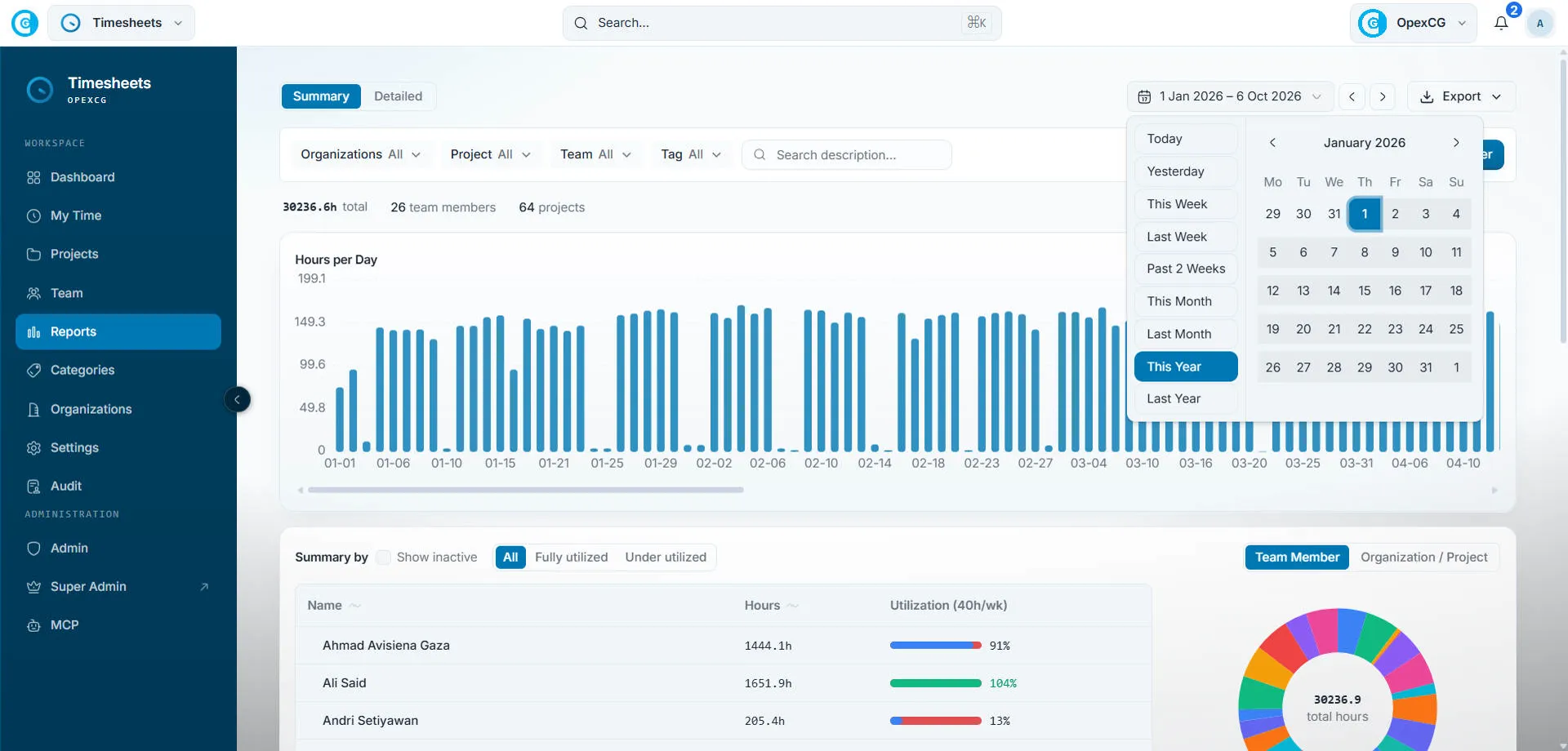
- Capture methods
- Live timer, weekly grid & calendar
- Cost control
- Real-time project & task tracking
- Governance
- Multi-tier manager sign-offs
- Capacity
- 40h/week team utilization targets
- Audit trail
- SHA-256 tamper-evident logs
Common Timesheet Frustrations
Manual timesheets hide real project costs and delay monthly client billing
Under-reported billable hours
Team members reconstruct timesheets from memory on Friday afternoon, missing micro-tasks, travel hours, and client meetings.
Disorganized Excel spreadsheets
Spreadsheets emailed between team leads create broken formula links, duplicate submissions, and inconsistent project codes.
Slow, bottlenecked approvals
Department heads and project managers lack a unified approval queue, holding up monthly billing and payroll processing.
Unmonitored project burn rates
Project managers discover labor cost overruns weeks after the work occurred, after fixed-fee margins have already evaporated.
Opex Time provides one clean, auditable system of record for workforce hours, connecting daily task logs directly to project profitability.
Tour the Opex Time module
Watch how team members start live timers, fill weekly timesheet grids, and how managers review submitted hours in one click.
Module Capabilities
Engineered for daily speed, accuracy, and clear project costing
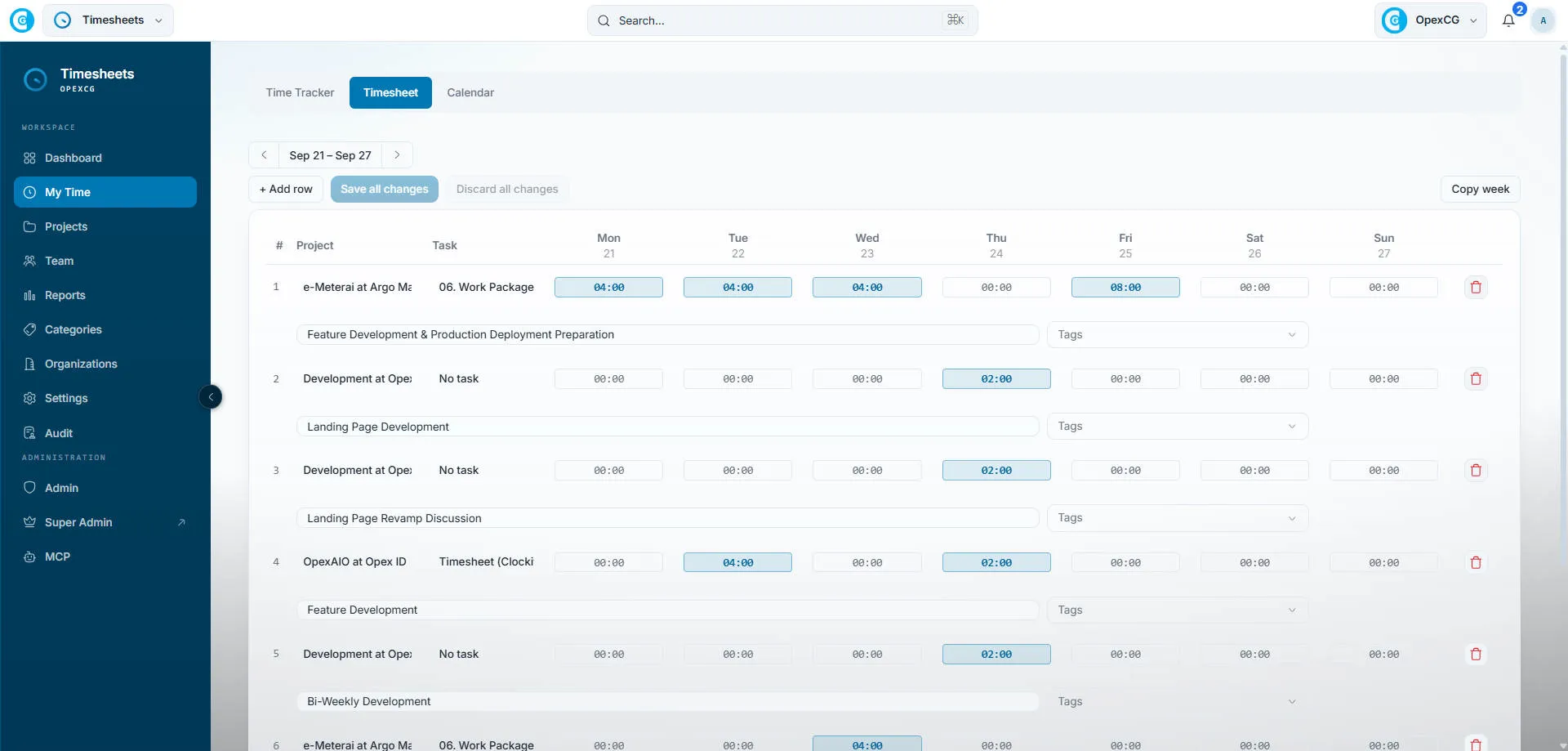
Interactive weekly timesheet grid
Distribute hours across active client accounts, project tasks, and internal overhead codes in a fast matrix view with instant keyboard navigation.
Live stopwatch and activity logging
Start a timer with one click when starting client work. Tag entries with billable status, project work packages, and custom task notes.
40h/Week Utilization Dashboard
Benchmark actual logged hours against standard weekly capacity to detect under-allocation or team burnout early.
Multi-Tier Approval Policies
Route submitted timesheets through project managers, practice leads, and finance with single-click bulk approvals.
Project Budget & Burn Rate
Track allocated hours and labor cost burn rates in real time against fixed-fee or time-and-materials milestones.
One-Click ERP & Payroll Export
Export clean, validated attendance and project labor summaries directly into Epicor, SAP, or payroll software in Excel and CSV.
Daily Workflow
From stopwatch entry to client invoice without spreadsheet friction
Team members record work in seconds, managers review with complete audit logs, and accounting receives verified project labor data.
1. Log Hours as Work Happens
Team members track time via live timer, weekly summary grid, or calendar view with billable/non-billable tagging.
2. One-Click Manager Sign-Off
Supervisors review submitted timesheet periods, inspect task descriptions, and approve or request revisions with notes.
3. Direct Financial Export
Approved hours sync automatically with project budgets, client billing registers, and company payroll accounts.
Operates as a standalone timesheet application or integrated seamlessly with the OpexAIO industrial platform.
Frequently asked questions about Opex Time
Can Opex Time be deployed as a standalone tool?
Yes. Opex Time runs as an independent application with its own user profiles, client directory, project codes, and approval workflows.
How does the approval workflow operate?
Users submit their timesheet weekly. Designated project managers or department leads receive notification, review line items, and approve or return entries with feedback.
Does it support both billable and non-billable tracking?
Yes. Each time entry carries a billable indicator with designated labor rates, allowing you to accurately separate client project hours from internal admin work.
Can data be exported to our existing ERP or payroll system?
Yes. Detailed timesheets, project summaries, and payroll tables can be exported in standardized Excel, CSV, or synced via API to Epicor and SAP.
Is there a tamper-evident audit trail for timesheet edits?
Yes. Every modification to a finalized or approved timesheet entry is hashed and logged in an immutable audit ledger, recording who changed what and when.
Take control of team timesheets and project costing
Book a walkthrough of Opex Time and see how easy it is to capture billable hours, manage team capacity, and accelerate client billing.